


Surprising Phone Camera Hacks
I recently read an article about snapshots you should keep in your smartphone’s photo album that I thought was quite interesting. But what I really found fascinating (and surprising) were all the OTHER great ideas included in the comments on that article!
I had no idea there were so many cool things to do with phone cameras, so I spent all afternoon reading and digesting them all. There were so many good ideas that I decided to create my own list of phone camera hacks, and that’s exactly what I’ll be sharing with you today!
Related: 11 Photos You Can Take That Will Make Your Life Easier
If you’re like me, you probably already use your phone to keep notes of things you want to remember. Writing this post helped me realize that not only is my phone camera faster and more accurate than taking notes, but the sheer number of ways you can use it is life-changing!
Check out the list below, and I think you’ll agree!
50 Uses for Your Phone’s Camera

Important Documents at Your Fingertips
1. Take pictures of the front and back of your credit cards and store them in a secure storage app on your smartphone, like Keepsafe or Lockit. Then when you’re buying things online, you can just take a look at the photos instead of having to get out your wallet.
2. Keep a photograph of your driver’s license and/or passport identification page in a secure storage app on your phone.
3. Take a picture of your wallet opened, showing just enough of each card so you can identify what each card is. Then if your wallet is ever stolen, you can refer to the photo to determine what cards you need to replace.
4. Snap a photo of your license plate for use when you are at the DMV or filling out a form for a parking pass. I can NEVER remember my license plate number when I need it, so this has been really helpful! :-)
5. Keep a photo of your pet and their ID and/or vet tags. That way you can report it immediately if your kitty or puppy goes missing, heaven forbid!
6. Take photos of your reward membership cards for store rewards programs. (Don’t forget to make sure your membership number or ID is visible in the photos!)

Remember the Things You Like
7. If you try a wine at a party or restaurant that you really like, take a photo with your smartphone! Snap a photo of the label on the wine bottle so you’ll be able to remember the brand and the year later on.
8. When you see a recipe in a magazine or on TV that you want to try out, snap a picture with your phone! Much easier than running to find a pen and paper.
9. If one of your friends or family members has a great playlist, snap a picture of the playlist using your phone.
More Ideas You'll Love

10. When walking through the bookstore, take photos of books that interest you. Then you can check to see if they are available at your local library before committing to buying them!
11. Take pictures of your favorite makeup and hair products, including brands, product lines, and colors or shades. Then if you see them on sale somewhere, you’ll have all the info you need to buy them right then and there!
12. Use your smartphone camera to snap photos of lovely gardens, interesting yard art, and cute holiday decorations that you see when you’re out and about. You can use those photos later on as inspiration for your own home decor!
13. When you find a new artist on Pandora or Spotify that you want to remember, take a screenshot for reference later.
14. Take photos of yourself in different outfits from your closet. Then on mornings when you’re in a rush and don’t know what to wear, you can use the photos for easy reference!
15. When shopping with the kids, take photos of the toys they want for Christmas or their birthday. Then later they can go through the pictures in your phone and make their lists.
Make Shopping for Home Decor & Furnishings Easier
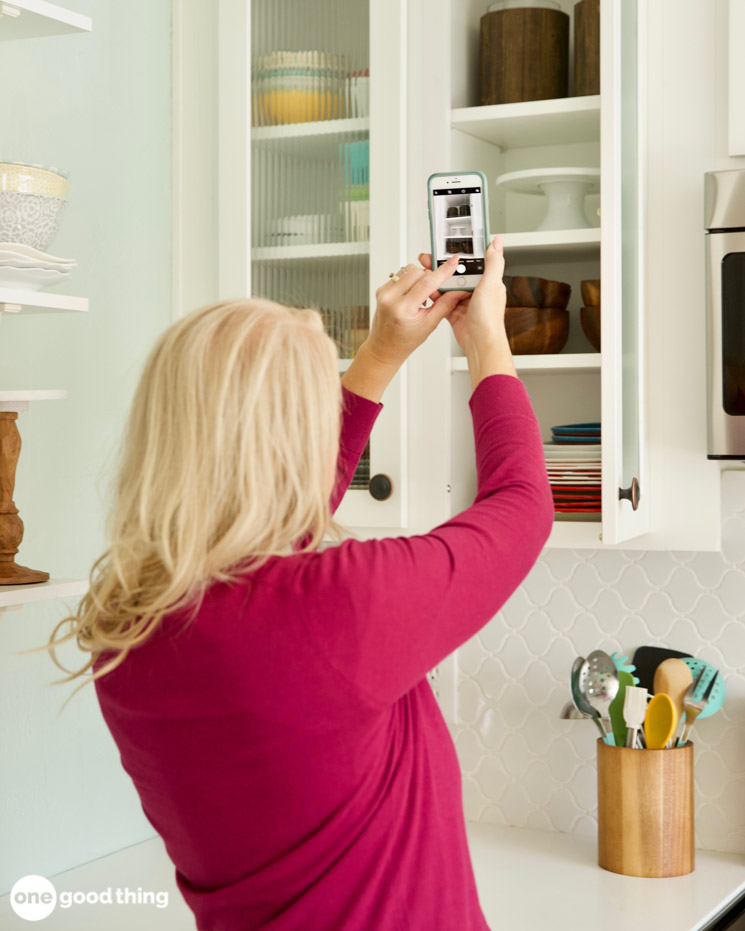
16. Take pictures of furnishings you are considering buying, ideally with price tag showing. Use the photos to get a second opinion from your friends or partner.
17. When you’re shopping at IKEA, skip the golf pencil and use your phone’s camera to take photos of the product tags instead. It’s quick and easy, and you won’t waste any paper!
18. Another way to use your smartphone camera at IKEA is to snap a photo of the dimensions of your car’s tailgate. That will help you decide what will fit in your car, and what won’t!
19. When moving from one apartment/home to another, take pictures of your wall art so you can remember how you had grouped. Then you can duplicate those groupings in your new place.
More Ideas You'll Love


On Your Travels
20. While traveling, take a screenshot of any map routes you might need and save them to your phone. The photos will allow you to access the directions you need, even if you end up in remote areas with spotty cell service.
21. If you’re renting a car on your trip, take a picture of the car and its license plate. It’ll be a big help when checking in at hotels, and especially if you need to find it but can’t remember what it looks like!
22. Take pictures of each room you stay in for insurance purposes in the event of theft, fire, or other disaster.
23. When traveling out of the country, take a screenshot of a currency converter “cheat sheet.”

Food & Kitchen Ideas
24. I like to keep a dry erase board or chalkboard in the kitchen to keep a list of things that I need to get at the grocery store. Instead of transcribing it to a paper list, I just snap a photo of it with my phone before I head out to go shopping.
25. If you’re going grocery shopping for ingredients for a recipe, snap a photo of the recipe before you leave the house. You’ll be able to easily reference it while shopping, so you can be sure you have everything you need.
26. When buying from a bulk bin at the grocery store, snap a picture of any cooking instructions on the bin.
27. Take a picture of your spice drawer or rack before heading out to restock. That way you don’t end up with 5 bottles of dill, but no cinnamon! (Not that that’s ever happened to me…) ;-)
28. Take a picture of the contents of your fridge before going grocery shopping. You can refer to the photo to see what you do and don’t have.

Frequent Purchases
29. Snap a photo of your printer cartridges, making sure you can see the model numbers.
30. Take a picture of all of your appliances, including the manufacturers logos and serial numbers, for future service calls.
31. Take a picture of the cable placement on any audio/video gear before unplugging anything!
32. Take pictures of the tag, bar code, or product info for items you’re interested in buying. You can often find the exact same items online for a cheaper price.
33. Take a picture of all the hardware and software specifications on your computer screen and save it on your phone.

Help for Emergencies
34. Snap a picture of your kids when you are heading out to a crowded amusement park, mall, sporting event, etc. If anyone gets separated, the photo will help you accurately describe their hair, what they are wearing, etc.
35. Take a screen shot of your ICE (In Case of Emergency) contact information, and set the photo as the lock screen for your phone. That way if you’re in an accident and incapacitated, someone can easily access your iCE info.
36. In case of a minor fender bender, pull out your smartphone. Use the camera to document the damage, and snap pictures of insurance cards and drivers license information. It could help avoid a much more serious situation!

Stay Organized at Work & School
37. Help out your classmates or coworkers by sending them photos of relevant information if they’re late to a meeting. (If it’s a lunch meeting, text them a photo of the restaurant menu and ask if you can place an order for them!)
38. Use your phone’s camera alongside the Evernote app to get really organized. Use the Notes app to scan documents into PDF files, then upload the files to Evernote. Evernote Premium accounts have access to optical character recognition software that makes text within PDFs searchable.
39. Keep a running Shopping or To Do list while at work on a pad of paper, then before you leave, snap a photo and put it as your screensaver. Instant list that can’t be lost or misplaced!
40. A helpful tip for students is to take pictures of that particular night’s homework assignment. That way you don’t have to pack all your books home!
41. Another tip for students is to take photos of your homework before you hand it in. This is especially helpful for students with forgetful teachers that have a tendency to “misplace” schoolwork.
Keep Important Information Handy
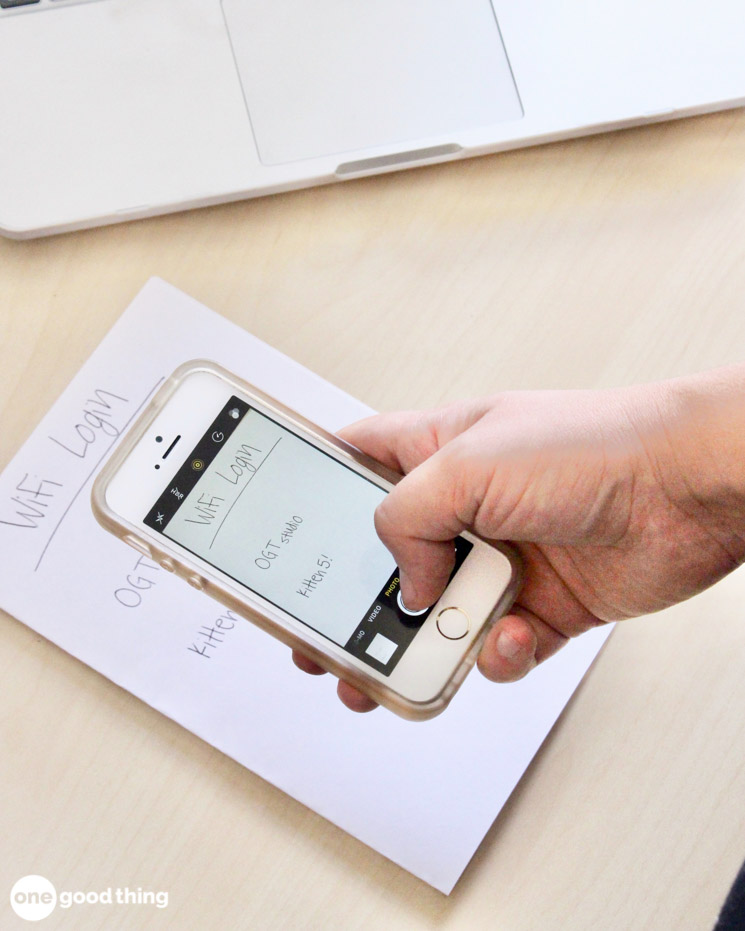
42. Keep a photo of your home’s wireless network and password to text to visitors.
43. Keep a photo of the ever-changing monthly class schedule at your local spa, gym, recreation center, etc.
44. Take pictures of the business hours posted on the door of places you go to occasionally, like the library, post office, etc.
45. Snap a picture of the class list on the 1st day of school to help learn your child’s classmates’ names.

Miscellaneous & Silly Things
46. Take pictures of your friends with the stuff they borrow from you so you’ll remember who has what.
47. Take pictures of “Help Wanted” signs to send to your kids.
48. Take a picture of your coat check ticket if you have a tendency to lose little things!
49. Before leaving the house for a trip, take a photo of your stove, hair straightener, or coffee maker in the “OFF” position. (This prevents those “freak out” moments when you start wondering if you left it on!)
50. Keep a copy of your best “selfie” shot for emergency updates to your Facebook profile. ;-)
Protect Your Sensitive Photos and Documents!
- Due to the inherent risks of taking photos of sensitive items like credit cards, financial information, and important documents, it’s a good idea to store those photos in a secure place.
- Apps like Keepsafe provide a secure “locker” for photos and documents that is separate from your phone’s main photo gallery.
- Photo lockers are typically pin or password protected so that you are the only one who can access it.
- Keeping your personal information secure only takes a little bit of extra effort, and it could help protect you from identity theft and other forms of fraud.
More Phone Tips And Hacks
What else do you use your phone’s camera for?


I posted previously about things to do with you phone cam, but another use that I had for it recently was when I had to disassemble and replace the wall oven control twice. I purchased a usable, but not perfect control to install while the original one was sent off to be refurbished/repaired, and when the repaired one was fixed and sent back, I had to swap out the controls out again. There was three big multi wire connectors that couldn’t be messed up, but there was also eight other individual wires that could easily be messed up by cross wiring to the wrong terminals. I took some good clear closeups of that wiring (all color coded) so I wouldn’t blow up the oven or burn down the house by messing up the wiring. This is also something you might want to do when disassembling something complex with many parts. Take as many pics as you need from different angles with the flash turned on to capture everything in high detail. It’ll save you from going crazy later trying to reassemble it.
Please log in or create a free account to comment.It’s a good idea to have a detailed record of what is in your wallet (credit cards, driver’s license, etc.) but don’t do it with any device that stores photos online. Images are mined by OCR scanners for text and aids in identity theft. Instead, scan them in (but don’t pick a directory that stores images online like into OneDrive, Google Drive, etc.).
Please log in or create a free account to comment.I take pictures of holiday decorations I put out so the next year I don’t say”Now where did I put this?” It goes so fast that way. You can always change it around and take another pic!
Please log in or create a free account to comment.I like to take pictures of the way I display holiday decorations. Both for reference, and memories.
Please log in or create a free account to comment.me too!
Please log in or create a free account to comment.Take pictures of your expensive jewelry.Also, take pictures of your fire arms. (Both incase they get stolen-insurance purposes).
Please log in or create a free account to comment.I hadn’t thought about doing that for my firearms. Thanks.
Please log in or create a free account to comment.#27 I need to do that before I head into Harbor Freight. I hate it when I buy something there, and then go home and find a bag sitting on the workbench with the same thing that I just bought that has been sitting there for a month or two (or five).
Please log in or create a free account to comment.#4 Also, take a pic of your vehicles vin number. That way you will have it handy should you hear those dreaded words “what’s the vin number” at the auto parts counter. And should your car get stolen, you have it to give to the police as most thieves will just replace your plates with stolen ones from another vehicle, so the vin will be the easiest way to id it.
I use my phone to take a picture of where my car is, if I’m in a huge or unfamiliar lot. Often the light poles have letters or numbers on them – just snap a picture of the one nearest you!
Please log in or create a free account to comment.It usually takes me all summer before I get the outdoor furniture, etc. arranged to my satisfaction (it has to be put away for the winter). I now take a photo at the end of summer, so I can reproduce the arrangement the following year.
Please log in or create a free account to comment.If you get allergy shots, and if they have a poster in the allergy department of when to NOT come in for your shots, take a pic of it to reference if you’re wondering if you should skip that week. Such as, when running a slight fever, or when you have a cold. That poster will give you info on whether or not it’s okay to get your shots that week. Or, if you’ve received a vaccination it will tell you how long to wait before getting your allergy shots. I think ours has about a dozen instances listed for when you should wait to get shots.
Please log in or create a free account to comment.#32. Take pictures of the tag, bar code, or product info for items you’re interested in buying. You can often find the exact same items online for a cheaper price.
If you decide to look for wallpaper & don’t need the store to hang it for you take a pic of the back of the sample page to get the relevant info, then take a pic of the front of the sample book for the brand if it’s not included on the back of the sample you picked. Then you can use that info to look online. We found the exact paper on Amazon for less than half the price the store wanted and we knew how to hang it ourselves. They wanted almost $60 per roll & we ordered it for $24 per same sized roll. Literally saved us hundreds on the project.
Please log in or create a free account to comment.When my son moved overseas I took a picture of his mailing address with my phone. I also backed it up on my PC. What a time saver. This would also be handy for Christmas cards you receive. Simply take a picture of their return address and you will know who to send a card to in the future.
Please log in or create a free account to comment.I am a 65yo woman who lives with my 40yo son who has a brain injury. He is high functioning, but the injury caused his short term memory to be shot! He usually cannot tell you what day it is. I happen to have many health issues and am on quite a number of meds. If I were incapacitated, he would have NO recollection of any of the info that emergency personnel would need. I am going to have him take pics of my meds, special instructions, and diagnoses info. I am sure that would save him the stress and pressure of the questions fired at him and may well save my life!!
Please log in or create a free account to comment.For #7 you can use the app “easy wine tracker” to rate your wine so that you never buy a not so good wine twice. Thanks for all the pratical things I learn on your site.
Please log in or create a free account to comment.Those are great ideas. Take photos of the contents of your safety deposit box. We can never remember what’s in there.
Please log in or create a free account to comment.I will definitely use these tips for my future work!
Please log in or create a free account to comment.Hi, thank you for this infor to take pictures on my phone. I copied the list off. It would have been better if the list could leave the pictures off. It took too much paper. It is a waste.
Please log in or create a free account to comment.Ramona, we actually have a “Print Friendly button at the bottom of our posts and you can delete the pictures before you print.
Please log in or create a free account to comment.Here is a video that shows you how to use the Print Friendly feature.
http://jillee.co/printfriendly
Some great ideas, but I’d be scared to have pics of my credit cards in an app. For #6 go one more step for the reward membership store cards. Don’t just take pics of the cards, get a free app called Key Ring. Open that app, then follow the steps to add all of your store cards to the app. You take a picture of the front and back, and it creates a bar code for each card, then lists them all alphabetically. You can even star the stores you shop at all the time & it puts them at the top of the list. This even works for library cards in our area. The only trick is to make sure your screen brightness is at 100% because some of the hand held scanners at the cash registers can’t read it if the brightness is turned down. You simply show your screen to the clerk and they scan the store card while you keep possession of your phone. You can put your reward cards away and never have to carry a wallet full of them again. We’ve been using the app for years and have never had a problems with it.
Please log in or create a free account to comment.I neglected to mention that if you get gas at Kroger the pump will not read the phone, so you will need to carry that card, or whatever reward card you use at the pump. Sure beats having to carry all those other cards though!
Please log in or create a free account to comment.I am fixing to have another grandbaby and one thing i just learned by helping my daughter with the nursery is to take pics of the baby outfits. I have washed so many baby clothes and if i didnt take a pic of what outfit went with what we’d be in trouble. Especially if they all come with bibs, socks or hats that all resemble.
Please log in or create a free account to comment.When packing for a trip take photos of the contents. In the possible event of the loss of your suitcase, you will be able to recall what was lost for your own use or for insurance claims.
Please log in or create a free account to comment.Great list for phone camera uses. I do most of the items you list. One thing I did is photo a list my husband’s meds with dosage and doctors he sees with their specialties and contact info. If he sees a P.A. at their office he notes that as well in case doctor is not available. He updates it as changes are made with a current date.
I like to knit and have a lot of needles (in fact some duplicates) as well as accessories. Right now I’m. sorting all my supplies to photograph so I will stop buying what I already have on hand, that includes yarn. I have some 2.5 gallon plastic bags that I store yarn.. Handles 5 plus skeins. Found them a few years ago. They were by Hefty.
Please log in or create a free account to comment.Hi! This suggestion for taking a photo came from an ER nurse-
Take a photo of all the medication a parent has to take each day, if you take your parent to the doctor. That way, should they need you to fill that out on a form, or they ask you during an ER visit or a regular doctor visit, you can just refer to the photo.
Some medication schedules are different- one medication is only taken in the morning, one only at night. If there are instructions give to the parent, you can take a photo of it, to refer to for the doctor or the parent should they lose the list.
Obviously, I have an elderly parent. The above could also be done for other family members, but for some reason it seems to make the most sense with elderly relatives, such as a parent.
Please log in or create a free account to comment.Did you mention:
Please log in or create a free account to comment.Take a picture of your car showing its location in a large parking lot, like at the airport or a mall.
Hi Jillee,
Please log in or create a free account to comment.I just wanted you to know that you are absolutely one of the best things that have ever happened to me. I swear by all of your information and recommend you to everyone I know that loves this type of information, and who doesn’t right?
Keep up the good work.
I hope you and yours have wonderful and safe holidays to come.
That is so sweet – thank you Nan!!
Please log in or create a free account to comment.Take pictures of your medications for when you go to the doctor or a new doctor.
Please log in or create a free account to comment.Great ideas! My brother is really good about taking pictures of important things to remember with his phone and I always think ‘what a smart thing to do’ and then forget 75% of the time to do it myself. Lol Do you have suggestions for how to file and store all of these photos so you can find them easily when you need them? That’s my problem with the ones I do remember to take, I just don’t take the time to weed them out (erase or replace when the wifi code changes) and file them.
Please log in or create a free account to comment.